Help with NoteCord
Find answers to common questions about NoteCord on iPhone and iPad. If your question isn’t covered, get in touch.
Download NoteCord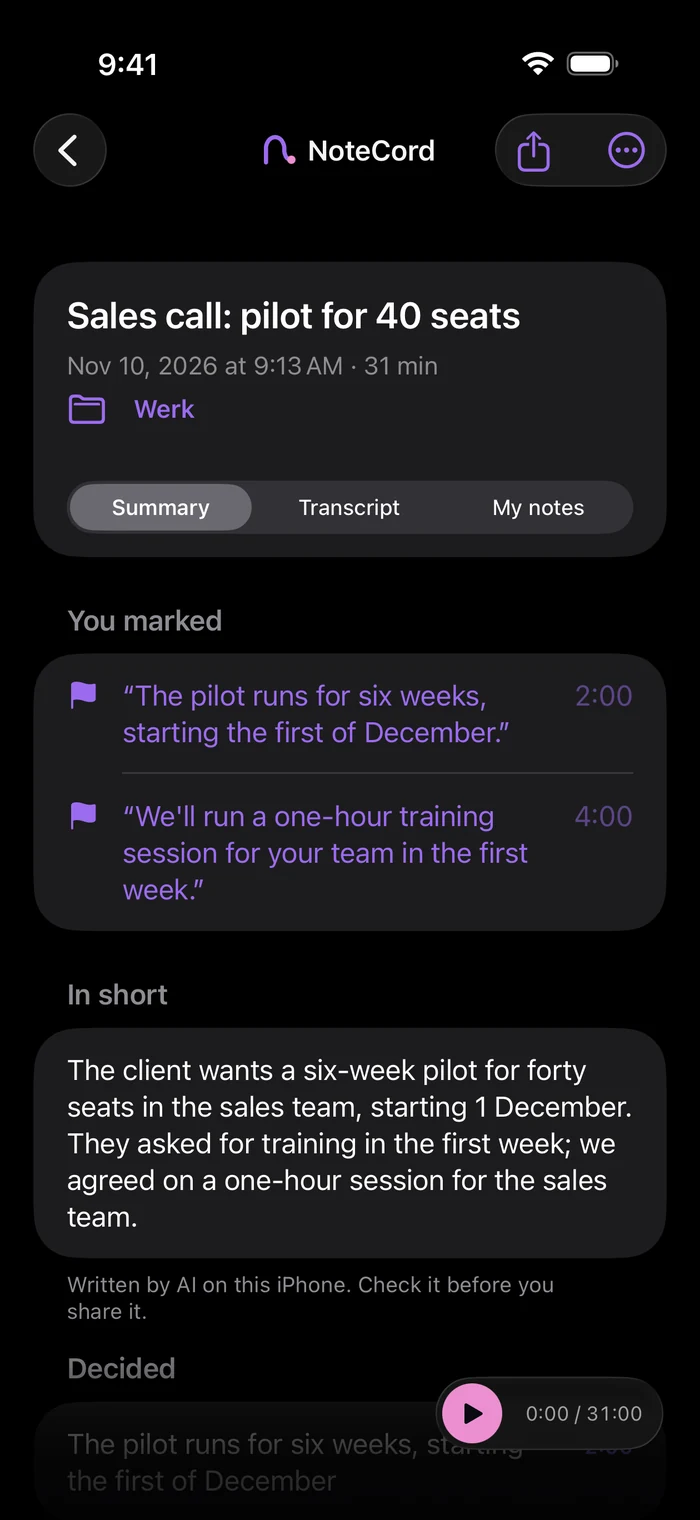
Questions people ask
- How do I start and stop a recording?
- Tap the record button to begin, or ask Siri to start or stop a recording. Recording continues when you lock the screen. You can see the recording on the Lock Screen and in the Dynamic Island on a supported iPhone.
- How do I find an important moment again?
- Tap the flag during a recording to mark a moment. Later, you can listen from just before that moment. On iPad, you can also write with Apple Pencil and tap your handwriting later to hear that moment.
- Where is my recording transcribed?
- Transcription happens on your device. iOS may ask for permission to download an Apple speech model once.
- Why am I not getting a summary?
- Summaries with action items need Apple Intelligence. You need a supported device, Apple Intelligence turned on and its model ready to use. If summaries aren’t working, check these in Settings.
- Do I need an account?
- No account is needed. NoteCord has no server of its own.
- Are my recordings included in a backup?
- Audio stays on your device and is never included in any backup. Text is included in your iPhone’s regular backup if it’s turned on. If you delete the app or erase your device without exporting first, the audio is lost.
- How can I share a recording or transcript?
- You can share or email audio and transcripts yourself, including with “Send to myself”. Your own notes and handwriting aren’t included in an export.
- How do I find a conversation?
- You can search all your conversations for words, names and notes. Use folders to organise conversations by client, project or topic.
- How do I cancel my Pro subscription?
- Pro is a monthly or yearly subscription through Apple. On your iPhone or iPad, go to Settings > your name > Subscriptions > NoteCord and cancel at least 24 hours before your billing period ends to prevent renewal. You keep Pro until the end of that period; after that, the free version keeps working and everything you created stays on your device.
- How do I request a refund?
- Purchases are handled by Apple. You can request a refund from Apple at reportaproblem.apple.com.
- Is your question not here?
- Need help? Email danny@apexpartnerships.nl and briefly describe what you’re having trouble with.
Stop taking notes. Start listening.
Try NoteCord for recordings, transcripts and summaries on your iPhone or iPad.