Record with the phone you have.
NoteCord is a Pocket AI recorder alternative for iPhone and iPad if you want to record conversations without buying another device. If you’re concerned about where your recordings go, NoteCord records and transcribes on the device itself. Summaries with action points also run on the device and require Apple Intelligence.
Download NoteCord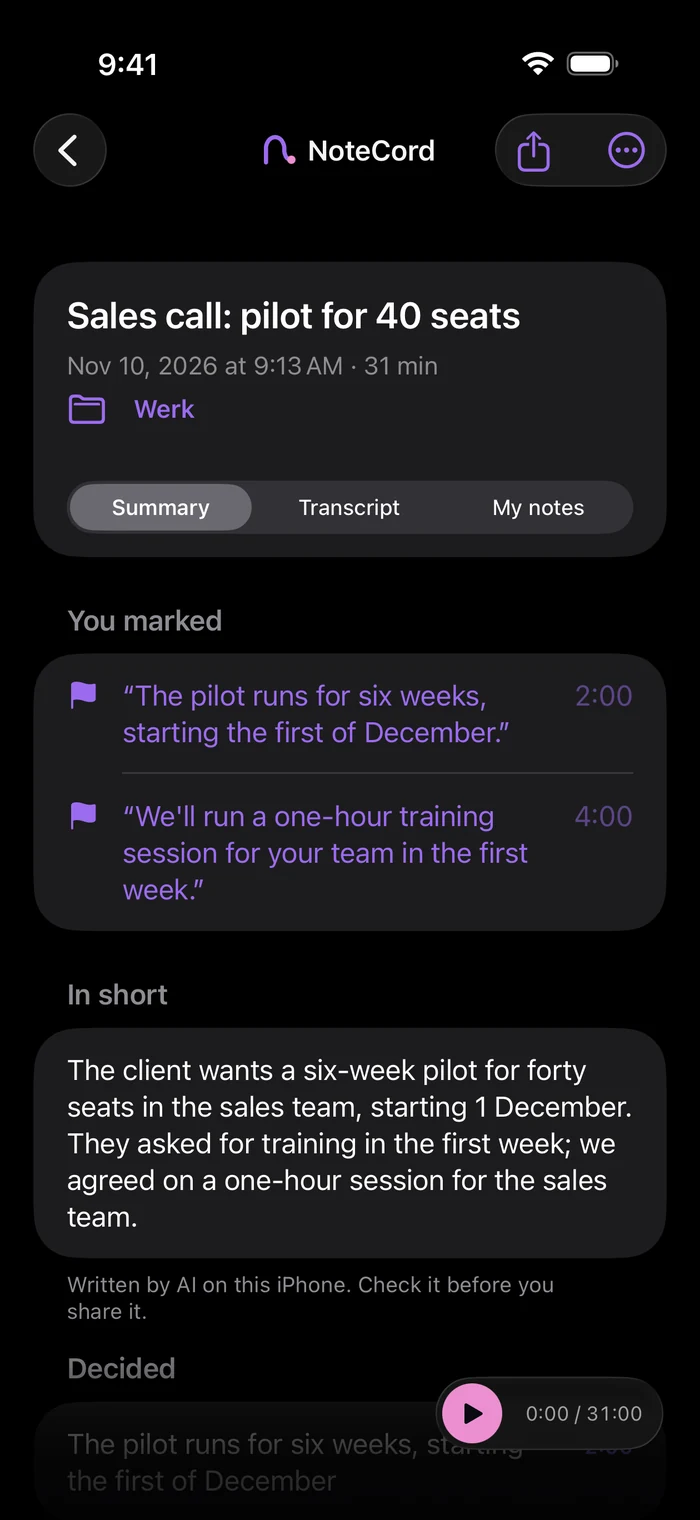
The short answer
Another device to carry may be more than you want just to remember a conversation. NoteCord is an iPhone and iPad app that records, transcribes and summarizes conversations on the device itself. Summaries with action points require Apple Intelligence. You don’t need an account. NoteCord never sends your recordings to us. They only reach someone else if you share them. There is no NoteCord server.
How Pocket works
According to Pocket’s own site, Pocket is a separate clip-on AI voice recorder listed at $139, with 64 GB of storage. It records on its own. Its privacy policy says audio is captured only when you start recording. You can record offline, and recordings sync when you reconnect. Transcription and model processing run with cloud and AI vendors. Pocket says it will not use your personal recordings to train its models without your consent. You can sign in from any device to see your recordings.
How NoteCord is different
NoteCord uses the iPhone or iPad you already have. It records and transcribes on the device itself. Summaries with action points require Apple Intelligence and also run on the device. Its App Store privacy label is “Data Not Collected”. Recording continues with the screen locked and is visible in Dynamic Island and on the Lock Screen. You can search through all your conversations and use folders per project or client. On iPad, tap your handwriting to hear what was said at that moment. NoteCord records with your iPhone or iPad microphone. It does not join Zoom, Meet or Teams calls.
When Pocket is the better choice
Pocket is the better choice if you want a recorder that records without your phone. It has its own microphones and battery. It also offers sync across devices, with recordings you can see by signing in from any device.
What goes into backups
NoteCord audio is excluded from every backup. Text goes into your iPhone’s regular iCloud backup only if that backup is on, in your own iCloud.
Questions people ask
- Is there a Pocket AI recorder alternative for iPhone?
- Yes. NoteCord records and transcribes on your iPhone or iPad itself. You don’t need an extra device or an account.
- Does Pocket process recordings in the cloud?
- Pocket’s privacy policy says transcription and model processing run with cloud and AI vendors. It says personal recordings will not be used to train its models without your consent.
- Does NoteCord send my recordings to a server?
- NoteCord never sends your recordings to us. They only reach someone else if you share them. There is no NoteCord server.
- Can NoteCord summarize conversations on my iPhone?
- Yes. NoteCord summarizes on the device itself. Summaries with action points require Apple Intelligence.
- Are NoteCord recordings included in iCloud backups?
- Audio is excluded from every backup. Text is included in your iPhone’s regular iCloud backup only if that backup is on, in your own iCloud.
Your conversations stay on your iPhone.