The best note-taking app for your privacy
NoteCord is a good choice for a private note-taking app for iPhone if you want to record and transcribe conversations on your device without an account. Recordings and text stay on your device. Its App Store privacy label is “Data Not Collected”. The best fit also depends on whether you need team features, a meeting bot or a separate recorder.
Download NoteCord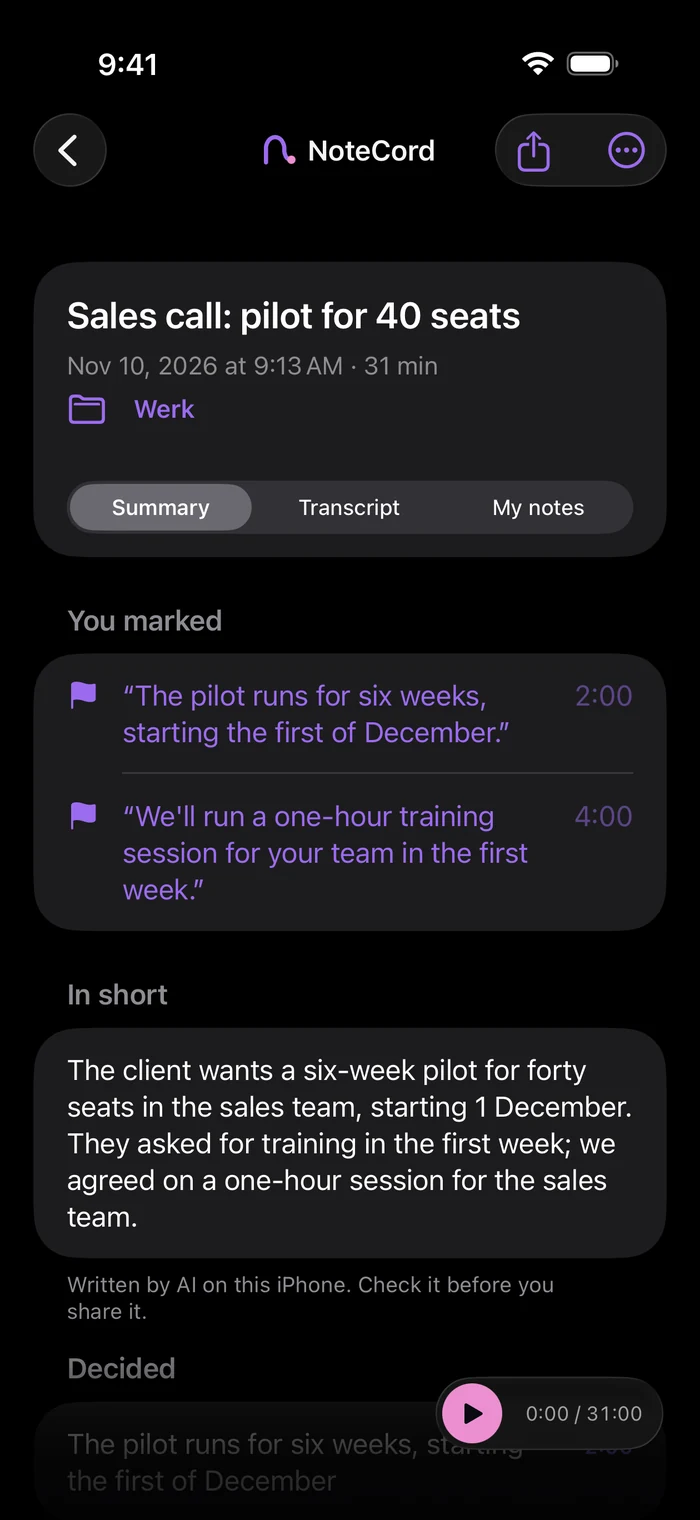
Where does your conversation go?
Compare five things before choosing an app: where transcription happens, whether you need an account, whether a bot joins, whether you need an extra device and what data the app collects. An app without a bot can still process your conversation in the cloud. Check storage and the use of data for AI training too.
NoteCord transcribes on your iPhone.
NoteCord records, transcribes and summarizes on your iPhone or iPad. You do not need an account or an extra device. It uses your device’s microphone and does not join Zoom, Meet or Teams calls. There is no NoteCord server. Its App Store privacy label is “Data Not Collected”. Audio is excluded from every backup. Text is included only in your iPhone’s standard iCloud backup if enabled, in your own iCloud. Summaries with action points require Apple Intelligence.
Otter processes recordings in the cloud.
Otter requires an account. It stores and processes recordings with cloud providers in the United States, including Amazon Web Services. Its privacy policy says it trains its own AI technology on de-identified audio recordings. Otter can join Zoom, Google Meet and Microsoft Teams calls. It suits people who want to work in a browser or on a computer and need shared team workspaces.
Fireflies and Granola can work without a meeting bot.
The Fireflies Notetaker can join Zoom, Google Meet and Teams as a participant. With its desktop app, the Notetaker does not join as a participant. Fireflies stores meeting data in its cloud and says it does not use that data to train AI models. It offers automatic notes from calendar meetings and team features. Granola adds no bot to your video call. It uses cloud processing for transcription and summaries and stores notes in a US-hosted AWS virtual private cloud. Mobile audio is temporarily cached. Granola uses a Google Workspace or Microsoft login. Granola says third parties cannot use your data for model training. Granola itself may use anonymized data; you can turn this off.
Plaud and Pocket are separate recorders.
Plaud sells separate recording devices. Its privacy policy says uploaded files are sent to and stored in Plaud’s cloud storage. Plaud works with third-party language model providers. It says data is used for model training only with explicit consent in advance. Pocket is a separate recorder that can record independently and offline. Recordings sync when you reconnect. Transcription and AI processing use cloud and AI vendors. You can sign in from any device to view recordings. Pocket says personal recordings are used for model training only with your consent. These recorders suit people who want to record without a phone.
Questions people ask
- What is the best private note-taking app for iPhone?
- NoteCord is a good choice if privacy comes first and you want to record and transcribe conversations on your iPhone. It requires no account. Its App Store privacy label is “Data Not Collected”. Another app is a better fit for automatically joining video calls or shared team workspaces.
- Which note-taking app transcribes on the iPhone itself?
- NoteCord transcribes on your iPhone or iPad itself. There is no NoteCord server. Summaries also run on the device. Summaries with action points require Apple Intelligence.
- Does a note-taking app without a bot keep my conversation private?
- A bot only tells you about participation in the meeting. Granola works without a bot and uses cloud processing. With the Fireflies desktop app, its Notetaker does not join as a participant; Fireflies stores meeting data in its cloud. NoteCord uses your iPhone or iPad microphone and processes on your device.
- Do I need an account or an extra device?
- NoteCord requires neither an account nor an extra device. Otter requires an account. Granola uses a Google Workspace or Microsoft login. Plaud and Pocket are separate recording devices. Pocket lets you sign in from any device to view your recordings.
- How do I compare what apps do with my data?
- Check the privacy label and read where recordings and text are processed and stored. Check the provider’s statements about AI training too. Cloud storage, model training and data collection are separate questions. NoteCord’s label is “Data Not Collected”.
- How can I check NoteCord myself?
- Read “Check it yourself” at notecord.nl/check-notecord-privacy-yourself. It describes the iPhone simulator measurement, its limits and how to view network activity on your own iPhone.
Choose where your conversation stays.
Want to record and transcribe on your iPhone or iPad without an account? Try NoteCord.